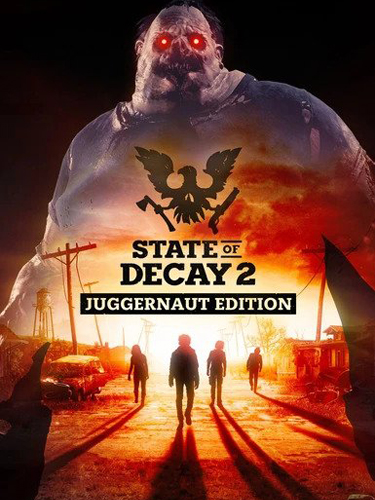
TITLE: State of Decay 2: Juggernaut Edition
GENRE: Action, RPG, Simulation
DEVELOPER: Undead Labs
PUBLISHER: Xbox Game Studios
RELEASE DATE: 13 Mar, 2020
MINIMUM SYSTEM REQUIREMENTS
Requires a 64-bit processor and operating system
OS: Windows 10 / 11
Processor: Intel i5-2500 @2.7Ghz / AMD FX-6300
Memory: 8 GB RAM
Graphics: NVIDIA GeForce GTX 760 2GB / AMD Radeon HD 7870
DirectX: Version 11
Storage: 30 GB
State of Decay 2: Juggernaut Edition re-imagines the popular survival game as a brand-new experience to welcome first-time players… and those who’ve come back from the dead. Available on Steam for the first time, this edition is packed with new and remastered content for the ultimate zombie survival experience.
Join over 10 million existing players and discover what Juggernaut Edition has to offer:
The base game plus all three add-on packs released to date, including the all-new Homecoming update:
• Homecoming: a full-size, fully remastered, open world version of Trumbull Valley for the core game, reintegrating the Mount Tanner and Fairfield regions to the map, and adding new sites to scavenge, along with new sights to behold.
• Heartland: an massive story campaign set in a familiar town with new challenges
• Daybreak Pack: a test of teamwork with siege-style, “survive the horde” gameplay
• Independence Pack: a celebration of history that blows up zombies… with fireworks!
Remastered graphics and an upgraded engine featuring realistic fog effects
An expanded soundtrack with hours of new thematic musical arrangements
Providence Ridge: a brand-new open-world map full of forests, zombies, and mystery
Two-handed heavy weapons with new melee combat moves to bust zombie heads
A new introductory experience and improved controls to help you master the apocalypse
… and countless other improvements to the classic open-ended sandbox gameplay.
1- Run the installer as administrator
2- Click on the page
3- Press the up arrow on your keyboard
4- Click Install
5- Click Continue
6- Select installation destination
7- Click Next
8- Select component
9- Install
First Few Mins Gameplay
Repack Features
Based on : State.of.Decay.2.Juggernaut.Edition.Curveball-RUNE ISO Release
Game Version: Update 34 – Curveball – Build 542780
DLC: Independence Pack DLC
Language : English, French, German, Italian, Spanish – Latin America, Russian, Portuguese – Brazil, Simplified Chinese
– Language can be changed in …\Engine\Binaries\ThirdParty\Steamworks\Steamv148\Win64\steam_emu.ini
Repack Size : 15 GB
Final Size : 20.2 GB
Lossless repack : Nothing removed OR re-encoded
Install Time : 2 – 5 mins
Greetings : Razor12911, ElAmigos, KaOsKrew, FitGirl
Repack By DODI
PLZ SEED , DONT HIT & RUN
Download Links
Torrent – Click Here – or – Click Here – or – Click Here
QiWi – Click Here – or – Click Here
- Help me run this site, Repack Servers and seedboxes. Donate Here
- DODI Youtube Channel – Subscribe, Like, Share, Comment
I suppose that this warning/requierment from fitgirls release still apply on this release?
https://fitgirl-repacks.site/state-of-decay-2/
I play on my win 7 now , no need to any thing , it is a steam edition
Sounds good.
I asked since i run win10 LTSB that does not have the windows store that was a deal breaker on fitgirls release.
So will try this one out.
is it work or need spesific version for windows 10 like state of decay 2 before?
Worked fine for me on win 10 LTSB.
LTSB=Long Term Support Branch=windows 10 Enterprise but a bit lighter with for example windows store removed.
DODI, you are one walk-around freak. Did the same with NFS Heat.
How play in multiplayer? I have xboxlive but multiplayer is not working.
[url=https://radikal.ru][img]https://c.radikal.ru/c11/2003/c3/28e54353141b.png[/img][/url]
same here, but it’s a steam version, so i was confused oO
same here.. mp is not working
It’s a cracked game, without emu for multiplayer, it WILL NOT work, CODEX crack’s for single player only.
http://dl3.pcha.ir/98/12/SOD2-JE-DOD/SOD2-JE-DOD.part1.rar
7part
pass: http://www.dlfox.com
Will this works on windows 8
yessssssssssssss
If anyone knows about multiplayer update or patch … could say it here ^^
Anyone knows how to change the language?
To Change language go to State of Decay 2 Juggernaut EditionEngineBinariesThirdPartySteamworksSteamv132Win64 and edit steam_emu.ini, file , then change language=english to your language
Thanks a lot Dodi!!
today
This is Fake Multi – Anyone want to play it, dont download this game !!!
not all noobs as you , i tested all languages on my own win 7 PC , and played with different languages and i mentioned how to change language and you dont know how so it is your problem
maybe what he meant was MULTIPLAYER
maybe what he meant was MULTIPLAYER
Yes sure. I mean Multiplayer.
Multi means, MULTI – LANGUAGES.
And it was always like that.
NO MULTIPLAYER.
https://uploads.disquscdn.com/images/f9fc91846e6f53bcb90d3da60a13232dff304d79cd2b838799f40d368395977e.png
Really ? On tittle ” … DLC + Multiplayer … ”
As the picture which you sent, “To play multiplayer you need only Xboxlive” ….
With this information, you still confirm just Multi Languages … ?
Don’t apply all CODEX’s crack files, just need Engine folder and StateOfDecay2-Win64-Shipping.exe in StateOfDecay2 folder. If CODEX’s profile avalible in game, you need change profile.
And then use your Microsoft Account (preferably fake one), and invite should be work. Source: RIN forum
Hmmm. I’m kind enought to put this.
Update3 + MP fix
google drive. /open?id=1e7gz5mTTWZi295s2NDyY6Fiw_OYw4OWA
pass: cs(dot)rin(dot)ru
(dot) is .
1.) After you install the game (or already installed), Apply the update files. Just extract them to the game folder. Then MP should be work, next two steps is just to make sure.
2.) To be on the safe side I also deleted any previous save game files/saved settings in the “UsersAppDataLocalStateOfDecay2” folder. (THIS IS FOR PEOPLE WHO HAVE HAD PREVIOUS UNSUCCESSFUL ATTEMPTS TO GET THE GAME WORKING. IF YOU’VE NEVER DOWNLOADED THE GAME BEFORE YOU WON’T NEED TO THIS)
3.) In the Windows search bar type “Credentials Manager” and click on it. Click on “Windows Credentials” on the right hand side then click on any “Xbl” credentials shown and remove them all.
4.)Now upon loading the game I am asked to sign into an Xbox Live account and can sign in no problem. I am then able to go to the settings menu in game and enable the “host multiplayer game” with no issue. :
HOW TO PLAY ONLINE IN GAME
Don’t use that main menu accessed by pushing the (ESC) key. There is a Multiplayer category in this menu list which takes you to a menu about linking your Steam & Windows account, ignore this menu.
1.) To allow others to join your game world, first open your settings and got to the multiplayer category and enable the host multiplayer game option.
2.) Start/load a game and then open your Item menu (I) key, then press the (E) key to move to the Radio menu. Here you can select Multiplayer and choose to “Call for help” (people join your game) or “join game” (help someone else in their game world. :THUMBS UP:
You will know multiplayer is working as it will show a notification when you load a game at the bottom left corner of the screen showing “Setting up session” and “Season created” with a green tick meaning others will be able to join your game when you “Call for help.”
YES.
Check other Scene RELEASES.
ALWAYS MULTI means Multi-Language.
Yeah, just says I don’t have privileges. 🙁
hello everyone, hello DODI, well i have a little problem problem with the game, i installed everything ok, i have my drivers good i think but when in game, after press any key, it stay in main menu!! i mean, i can heard when i choose an option but it stay in main menu, it freeze there!!
i have Win 7 by the whay!!!
it works with win 10 ..
but i am having the same issue here whenever i start the game and it crashes at the main menu still cant figuer it out
How to play multiplayer ? Can someone explain in detail
Don’t apply all CODEX’s crack files, just need Engine folder and StateOfDecay2-Win64-Shipping.exe in StateOfDecay2 folder. If CODEX’s profile avalible in game, you need change profile.
And then use your Microsoft Account (preferably fake one), and invite should be work. Source: RIN forum
Hmmm. I’m kind enought to put this.
Update3 + MP fix
google drive. /open?id=1e7gz5mTTWZi295s2NDyY6Fiw_OYw4OWA
pass: cs(dot)rin(dot)ru
(dot) is .
1.) After you install the game (or already installed), Apply the update files. Just extract them to the game folder. Then MP should be work, next two steps is just to make sure.
2.) To be on the safe side I also deleted any previous save game files/saved settings in the “UsersAppDataLocalStateOfDecay2” folder. (THIS IS FOR PEOPLE WHO HAVE HAD PREVIOUS UNSUCCESSFUL ATTEMPTS TO GET THE GAME WORKING. IF YOU’VE NEVER DOWNLOADED THE GAME BEFORE YOU WON’T NEED TO THIS)
3.) In the Windows search bar type “Credentials Manager” and click on it. Click on “Windows Credentials” on the right hand side then click on any “Xbl” credentials shown and remove them all.
4.)Now upon loading the game I am asked to sign into an Xbox Live account and can sign in no problem. I am then able to go to the settings menu in game and enable the “host multiplayer game” with no issue. :
HOW TO PLAY ONLINE IN GAME
**Don’t use that main menu accessed by pushing the (ESC) key. There is a Multiplayer category in this menu list which takes you to a menu about linking your Steam & Windows account, ignore this menu.**
1.) To allow others to join your game world, first open your settings and got to the multiplayer category and enable the host multiplayer game option.
2.) Start/load a game and then open your Item menu (I) key, then press the (E) key to move to the Radio menu. Here you can select Multiplayer and choose to “Call for help” (people join your game) or “join game” (help someone else in their game world. :THUMBS UP:
You will know multiplayer is working as it will show a notification when you load a game at the bottom left corner of the screen showing “Setting up session” and “Season created” with a green tick meaning others will be able to join your game when you “Call for help.”
Hey bro. how can i open the Google Drive link? help pls
@dodirepacks:disqus the torrent link is not available thought you should know
checking
Multiplayer doesn’t work (Codex release at least) and torrent is unavailable.
Multiplayer works for me
does someone know about the freeze or bug of the main menu?? please!!
Gdrive added
torrent fixed
Is multiplayer supposed to work or not?
I dont think so!
Doesn’t work in any cracked game!
Multiplayer works on several cracked games like The Forest and CoD: MW
It works
where is the fix
Multiplayer doesnt working. At least dont lie to people, dont write “MULTIPLAYER” on title bruh..
Don’t apply all CODEX’s crack files, just need Engine folder and StateOfDecay2-Win64-Shipping.exe in StateOfDecay2 folder. If CODEX’s profile avalible in game, you need change profile.
And then use your Microsoft Account (preferably fake one), and invite should be work. Source: RIN forum
Hmmm. I’m kind enought to put this.
Update3 + MP fix
google drive. /open?id=1e7gz5mTTWZi295s2NDyY6Fiw_OYw4OWA
pass: cs(dot)rin(dot)ru
(dot) is .
1.) After you install the game (or already installed), Apply the update files. Just extract them to the game folder. Then MP should be work, next two steps is just to make sure.
2.) To be on the safe side I also deleted any previous save game files/saved settings in the “UsersAppDataLocalStateOfDecay2” folder. (THIS IS FOR PEOPLE WHO HAVE HAD PREVIOUS UNSUCCESSFUL ATTEMPTS TO GET THE GAME WORKING. IF YOU’VE NEVER DOWNLOADED THE GAME BEFORE YOU WON’T NEED TO THIS)
3.) In the Windows search bar type “Credentials Manager” and click on it. Click on “Windows Credentials” on the right hand side then click on any “Xbl” credentials shown and remove them all.
4.)Now upon loading the game I am asked to sign into an Xbox Live account and can sign in no problem. I am then able to go to the settings menu in game and enable the “host multiplayer game” with no issue. :
HOW TO PLAY ONLINE IN GAME
Don’t use that main menu accessed by pushing the (ESC) key. There is a Multiplayer category in this menu list which takes you to a menu about linking your Steam & Windows account, ignore this menu.
1.) To allow others to join your game world, first open your settings and got to the multiplayer category and enable the host multiplayer game option.
2.) Start/load a game and then open your Item menu (I) key, then press the (E) key to move to the Radio menu. Here you can select Multiplayer and choose to “Call for help” (people join your game) or “join game” (help someone else in their game world. :THUMBS UP:
You will know multiplayer is working as it will show a notification when you load a game at the bottom left corner of the screen showing “Setting up session” and “Season created” with a green tick meaning others will be able to join your game when you “Call for help.”
Torrent doesn’t work CRC error
Is this game nice to play?
Does it have a good single player campaign?
Login Error:
Your save file is from future build of the game, Please update the game and try again..
i have this problem and both codex/dodi packs was downloaded
From today i m getting this error and its sooo frustating because i was playing fine this game before today but now its just keep giving this error and i dont know how to skip it or pass it please help someone
I’m battling with this Login error : your save file is from future build of the game, please update the game and try again…
Who can help
why no one give instructions to bypass this error
work on win 8??
yeah
can anyone explain on
“To play multiplayer you need only xboxlive”?
Much Appreciated.
just do this steps
Hey i installed this version of the game and can`t figure what codex files to delete to not have the codex profile
too bad.. if you already installed the crack files. you need to reinstall the game
can ı ask you a question about this mess 😀
Don’t apply all CODEX’s crack files, just need Engine folder and StateOfDecay2-Win64-Shipping.exe in StateOfDecay2 folder. If CODEX’s profile avalible in game, you need change profile.
And then use your Microsoft Account (preferably fake one), and invite should be work. Source: RIN forum
Hmmm. I’m kind enought to put this.
Update3 + MP fix
google drive. /open?id=1e7gz5mTTWZi295s2NDyY6Fiw_OYw4OWA
pass: cs(dot)rin(dot)ru
(dot) is .
1.) After you install the game (or already installed), Apply the update files. Just extract them to the game folder. Then MP should be work, next two steps is just to make sure.
2.) To be on the safe side I also deleted any previous save game files/saved settings in the “UsersAppDataLocalStateOfDecay2” folder. (THIS IS FOR PEOPLE WHO HAVE HAD PREVIOUS UNSUCCESSFUL ATTEMPTS TO GET THE GAME WORKING. IF YOU’VE NEVER DOWNLOADED THE GAME BEFORE YOU WON’T NEED TO THIS)
3.) In the Windows search bar type “Credentials Manager” and click on it. Click on “Windows Credentials” on the right hand side then click on any “Xbl” credentials shown and remove them all.
4.)Now upon loading the game I am asked to sign into an Xbox Live account and can sign in no problem. I am then able to go to the settings menu in game and enable the “host multiplayer game” with no issue. :
HOW TO PLAY ONLINE IN GAME
**Don’t use that main menu accessed by pushing the (ESC) key. There is a Multiplayer category in this menu list which takes you to a menu about linking your Steam & Windows account, ignore this menu.**
1.) To allow others to join your game world, first open your settings and got to the multiplayer category and enable the host multiplayer game option.
2.) Start/load a game and then open your Item menu (I) key, then press the (E) key to move to the Radio menu. Here you can select Multiplayer and choose to “Call for help” (people join your game) or “join game” (help someone else in their game world. :THUMBS UP:
You will know multiplayer is working as it will show a notification when you load a game at the bottom left corner of the screen showing “Setting up session” and “Season created” with a green tick meaning others will be able to join your game when you “Call for help.”
Appreciate the reply, but i can’t seem to open the drive, sorry not really good with stuff like this
you don’t actually need that one.
and make sure you’r xboxlive is working properly. if not search on google how to trobleshoot it.
bro, how do you open the drive link. I’ve tried now in almost every way and I can’t seem to get it to work
you don’t actually need it.
you don’t need that one..
Step number 4. I didn’t get any prompt to sign in to Xbox live
very excellent job thaaaaaaaaaaaaank you dodi keep going <3
Awesome repack. Works very well on my pc. Win 10 latest build 1909. Thanks dodi
Can i ask you to make a repack for The Witcher 3 please…
repack v1.32 with all modes and languages next week
Ok I’ll wait for it. Thanks
am getting this error during installation https://uploads.disquscdn.com/images/7932886078a32942b79f343588d110646f7e81496a56073561f533f7bb9334dc.png any idea?
Just disable all the antivirus before installing bro 😉
I got same error did you find any solution
i already fixed my problem with the game. THANKS MTV?!!!
Before today i was playing this game fine but after bootup today its showing me login failed i dont know what to do next please help me out someone i really want to play this game
same problem here 🙁
Does this repack contains the pre-order DLCs? I dont belive the Steam version even has all the DLCs in its DLC tab.
can’t install update State.of.Decay.2.Juggernaut.Edition.Update.15.1-CODEX @dodirepacks:disqus
Why isn’t the Torrent link working?
fixed
Many thanks! Much love! <3
Bro I really need your help. I have the game but wanna enjoy the multiplayer, I cant seem to remove the codex account.
It tells me that i dont have priviliges…
Bro i really need your help.
Can you provide me with multiplayer crack?
Thanks alot.. Love ya’ll!
It work bro
is this repack support multiplayer ?? because multiplayer does not working so plz don’t lie.. when I press on multiplayer it asks me about priviliges error stuff like that .. and does anyone multiplayer work and if it so then how??
Yeah it work bro
Why doesn’t this game working on windows 7? I’m getting entry point not found error.can you help me please?
torrent link don’t work
checking
thank you
pog
Torrent fixed
torrent dont work
archive not found
added new one
torrent doesn’t work
file not found
fixed
thanks bro!
Multiplayer doesn’t work.
It work
torrent is dead
fixed
is windows 10 work or need specific version like state of decay 2 before?
any version will work
How can i play multiplayer? Please help!!